Mobile XLS/XLSX editor with OCR and offline capabilities
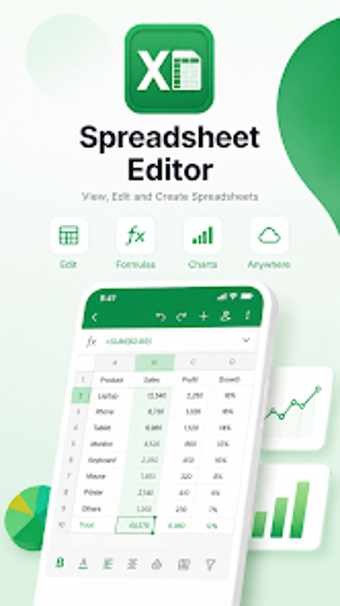
Spreadsheet Editor: ExcelXLSX from Lin Office Tools is an Android spreadsheet workspace designed for creating, viewing, and editing spreadsheets on mobile devices. It enables on-device calculation, sheet management, and document conversion so users can continue structured spreadsheet work away from a desktop. The app includes a template library, image-to-Excel OCR, and PDF conversion tools, aimed at business professionals, students, and office workers who need reliable mobile spreadsheet access.
What is ExcelXLSX used for in mobile workflows?
The app operates as an on-device spreadsheet workspace that opens and edits standard Microsoft formats, including .xls and .xlsx, and accepts files exported from Google Sheets. That positioning makes it a practical tool for reviewing financial tables, updating figures, or checking reports on the move. The interface is described as providing a close-to-desktop visual and functional environment on Android phones and tablets.
What can you do with ExcelXLSX during data preparation and reporting?
The editor supports calculations, multi-sheet workbooks, and table formatting so professionals can prepare reports without moving to a PC. Built-in templates speed setup for common tasks and image insertion improves presentation. Use the app to run formulas, manage sheet structure, and format tables ready for export or presentation; these capabilities let a user complete a focused reporting task from a single mobile workbook.
Is ExcelXLSX straightforward to adopt on Android devices?
The interface is lightweight and fast-loading, which reduces friction when opening spreadsheets on mobile hardware. Ready-made templates for budgeting, inventory, and reporting lower the barrier for non-experts who need structured outputs. Because the app supports offline editing of local workbooks, setup for common mobile workflows can proceed without network configuration, making initial adoption simpler for users who already understand basic spreadsheet concepts.
What file formats does ExcelXLSX support and how does conversion work?
ExcelXLSX supports standard Excel formats and also handles conversions between images, PDFs, and spreadsheets through built-in tools. Integrated OCR turns photographed tables into editable cells, while PDF-to-Excel and export-to-PDF functions let users move data between document formats. These conversion paths bridge mobile capture and spreadsheet editing so data captured away from a scanner can become a working workbook on the device.
ExcelXLSX suits mobile professionals who need quick, on-device spreadsheet handling
ExcelXLSX is a pragmatic option for business professionals, students, and office workers who require rapid edits and data review when a desktop is unavailable. It fits mobility-first workflows that prioritize accessibility and offline operation, but it is not positioned as a full replacement for complex desktop-only spreadsheet toolchains. Choose it when portability and straightforward mobile editing matter most.